Interface Preview & Demo
The offline, portable diagnostic scanner built to save hours of manual troubleshooting on Windows systems.
Download v1.0.1 .ZIP (Free)SHA-256: 2AEBBC5A58B53692CBDBF0BB8FAF54876D8E873BFA0A6F3AACA903DF0BB2A0B1
45.9 MB Zip (111 MB Extracted) • Windows 10/11
To verify hash: Open PowerShell in your download folder and run:
Get-FileHash -Path ".\DevToolkit.zip" -Algorithm SHA256
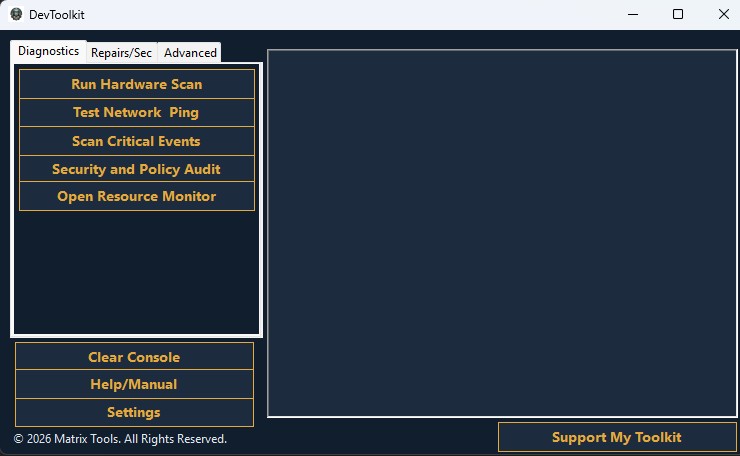
Instantly maps active drives, flags critically full partitions, and queries advanced WMI metrics (CPU, RAM, Motherboard serials, and OS version) without opening a command prompt.
Automates baseline Windows security posture checks, identifies hijacked Group Policies, and verifies active internet/network ping connectivity in one pass.
Bypasses the slow Windows Event Viewer to scrape the last 7 days of critical system crashes, while offering quick-launch integration for live resource tracking.
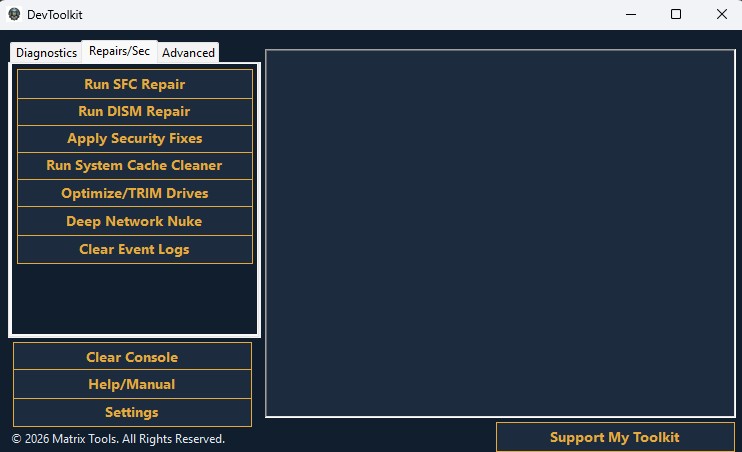
Automatically mounts the Windows Component Store to rebuild the underlying kernel recovery image, then verifies and replaces corrupted core OS binaries.
Forcefully restores Windows Defender/UAC postures, strips detected malware persistence, issues SSD TRIM commands, and defragments mechanical drives.
Rebuilds the TCP/IP stack, flushes the Winsock catalog/DHCP leases, and purges temporary user profiles and DNS resolvers to fix app crashes.
Clears the System and Application event viewer logs to provide a completely clean slate for ongoing triage.
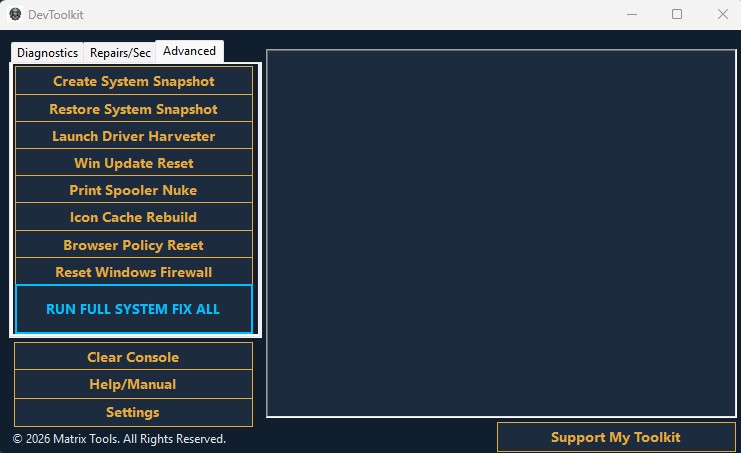
Forces Windows System Restore points before deep-level changes, and silently scrapes every OEM-specific hardware driver to a USB to survive OS wipes.
Clears jammed Windows Update caches, flushes stuck print jobs to reset the spooler, and safely kills the Windows shell to clear corrupted thumbnail databases.
Strips out hijacked browser policies (Chrome/Edge) set by adware and fully restores the Windows Defender Firewall to its factory out-of-the-box state.
A single-click, asynchronous sequence that runs the entire suite of advanced system integrity checks, network resets, and cache clears back-to-back.
Fully standalone C# executable compiled for deployment via USB or Windows To Go drives. Includes Offline Mode Targeting to redirect repairs to secondary/dead drives when a PC won't boot.
Toggle switches for common IT headaches (like Windows Fast Startup) with adjustable parameters for scans. Automatically saves diagnostic logs directly to the local drive.
A searchable, completely offline C# dictionary containing over 30 actionable manual fixes for BSODs, network collapses, OS freezing, hardware faults, and malware lockouts.